Write.
Share.
Sort.
Shop.

One writes it, the other buys it. A shopping list you both always have with you. No ads, and it works without a signal.

Download on the App StoreGet it on Google Play
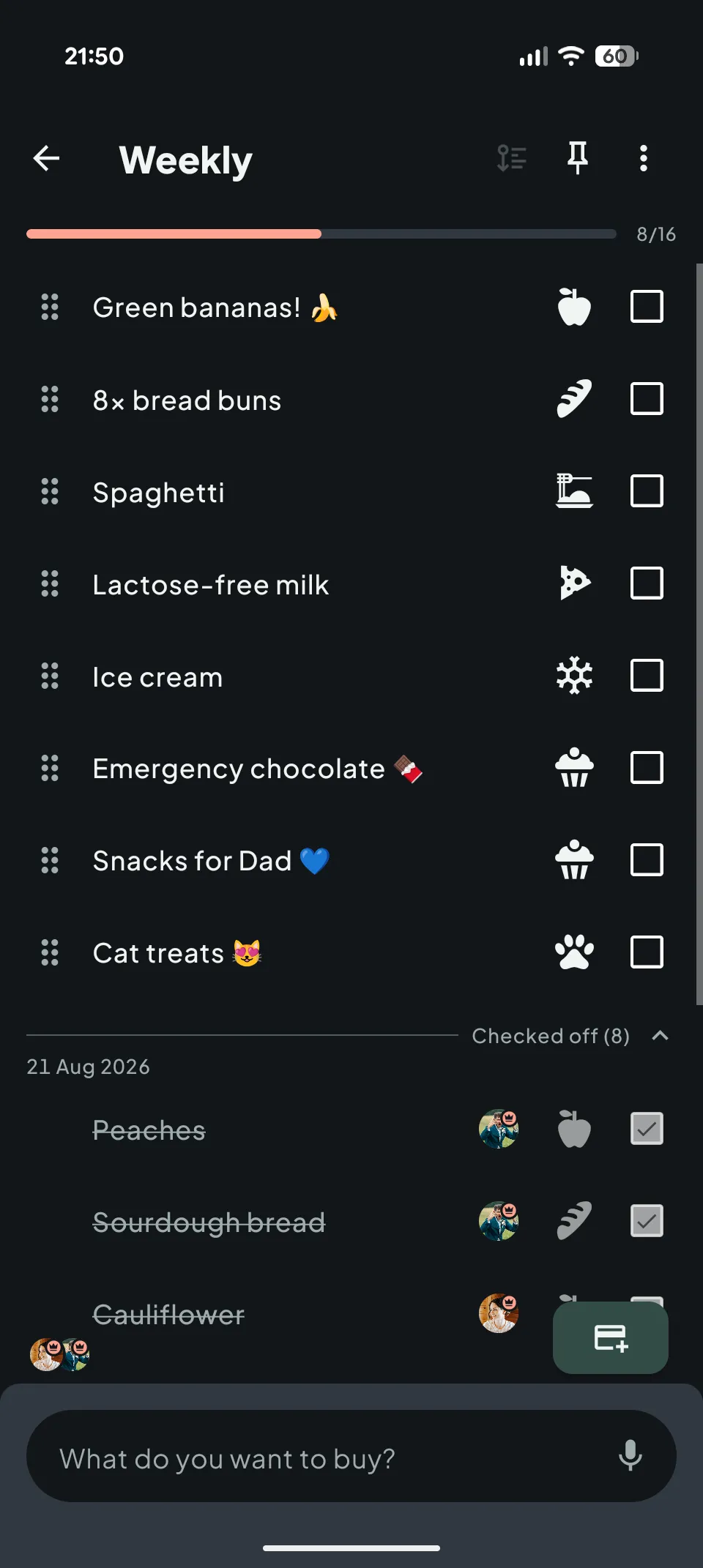
Rodly in dark mode
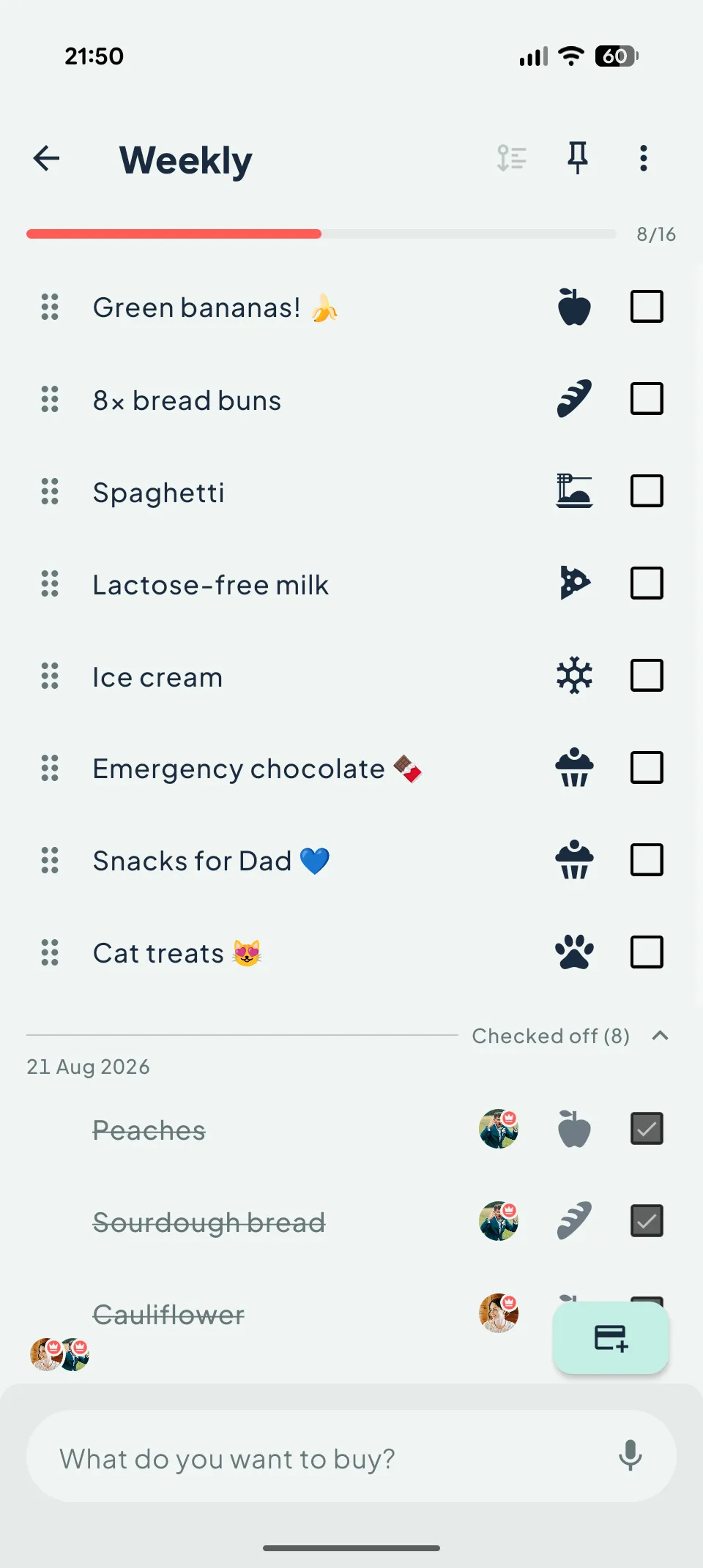
Rodly in light mode

Drag to compare light and dark mode

LIVE SHARING ✺ YOUR ROUTE THROUGH THE STORE ✺ 100% OFFLINE ✺ NO ADS ✺ LOYALTY CARDS ✺ 

What it does?

Live sharing

Share a list with your partner or the whole family. Whatever one adds or checks off, the other sees instantly, at the shelf or from the sofa.

You

Tap an item in your list. It's checked off for your partner before you lift your finger.

Your route through the store

Arrange the categories into the order you walk through your store. Rodly then sorts every list to match, and you just go aisle to aisle, checking things off.

  1. 1Fruit & vegetables
  2. 2Bakery
  3. 3Meat
  4. 4Frozen

Grab and drag. Keep frozen for last so nothing melts on the way.

Loyalty cards

Scan your cards once and carry them all in your phone. At the checkout the code fills the screen at full brightness, so the reader gets it first time. And you can share them with the whole family.

Supermarket

Recipes into lists

Save and share your favourite recipes. Pick the number of servings and the ingredients land in your shopping list in a couple of taps, correctly scaled and already categorised.

Pancakes4 servings
  • 500 ml milk
  • 2 eggs
  • 250 g plain flour

Inside the app.

Pricing.

TO GET STARTED

Free

€0
forever · no ads
  • Unlimited lists and cards on your phone
  • 3 lists available on all your devices
  • Store route, voice input and search
  • Loyalty cards, including scanning
  • Receive unlimited shared lists
  • Share 1 list with 1 person
MOST POPULAR

Premium

€19.99/year
You save€3.89or €1.99 a month
  • All your lists and cards on all your devices
  • Share lists with up to 2 more people
  • Recipes and adding them to lists
  • Home-screen widget for adding by voice
  • Everything backed up, nothing gets lost
THE WHOLE HOUSEHOLD

Family

€39.99/year
You save€7.89or €3.99 a month · one price for everyone
  • Everything in Premium for 6 people (you + 5 more)
  • Every member gets full Premium
  • Unlimited shared lists, with as many people as you like
  • The home-screen widget for everyone in the household
  • One price, invitees pay nothing

No strings attached. Cancel your subscription any time.

Frequently asked questions.

How do I edit or delete an item on the list?
Swipe. Right renames an item, left deletes it. And if your finger slips, no harm done. An Undo button pops up for a moment and everything's back. Checking off? Tap the checkbox next to the item.
How do I share a list with someone?
Open the list, tap the three dots in the top corner and choose Share list. Then just type in the e-mail the other person signs in to Rodly with. There's no invite to accept, the list simply appears on their phone. And from then on you're in it together. Whatever one adds or checks off, the other sees right away.
How does sorting by my route through the store work?
Rodly files every item into a category by itself, be it dairy, bakery or frozen. You then drag the categories once into the order you actually walk through your store, and every list sorts itself along your route. A different store can have a different route too, each list remembers its own.
What happens to my data?
Your lists live mostly on your phone, so Rodly works entirely without internet. When they sync, they're stored on the server encrypted and travel encrypted too. We don't sell your data, and you won't find a single ad here. All the details are in the Privacy Policy.
Are my loyalty cards safe in Rodly?
They are. You scan them right on your phone, and when they sync they're stored encrypted, just like everything else. At the checkout the code then stretches across the whole screen at full brightness, so the reader gets it on the first try. The queue behind you will love you for it.
Will Rodly drain my battery?
No, we guard this one closely. Rodly does its work on your phone, hops on the network only for a moment when something changes, and leaves you alone in the background. Ideally you'll never even spot it in your battery stats.
How does the Family plan work?
One subscription covers six people, you and up to five others. You invite them by e-mail right in the app, they pay nothing, and everyone gets full Premium. From there your household shares lists however you like.
How do I cancel my subscription?
Any time, no questions asked. Subscriptions are handled by the App Store or Google Play, so you cancel in your store account settings. Premium runs until the end of the paid period, and all your data stays with you, of course.
How do I delete my account?
Right in the app. Open your profile, choose Delete account and all data, and that's it. Or on the web, on the Delete account page. And if you change your mind, you've got 30 days to come back. Just sign in again and the deletion is cancelled.